
ERP for Food Processing Business: Streamline Operations and Boost Efficiency


Food processors live with a level of complexity that most manufacturers never face. Ingredients expire. Recipes change by batch size. Allergens must be controlled. Labels must match the exact formula. One missing lot record can turn a small quality issue into a costly recall.
That is why spreadsheets, disconnected accounting tools, and paper production logs start to break down as a food processing company grows. They can work for a small team with a handful of products. They become risky when orders increase, suppliers multiply, runs get tighter, and traceability needs to be instant.
An ERP system brings the core parts of the operation into one place: purchasing, inventory, production, quality, sales, finance, and reporting. For a food business, that shared system can mean fewer manual handoffs, cleaner records, faster decisions, and better control from raw material receiving to finished goods shipping.

Why food processing needs more than basic business software
Food processing is not just “manufacturing with perishable goods.” It has its own pressure points. A system that works well for furniture, electronics, or metal parts may fall short when used for sauces, baked goods, frozen meals, dairy products, beverages, snacks, or fresh-cut produce.
A good ERP for food processing business needs to handle the realities of the plant floor and the warehouse, not just the accounting side.
Perishable inventory changes the rules
Inventory in food processing has a clock attached to it. Raw materials and finished goods may have:
Expiration dates
Best-by dates
Storage temperature requirements
Shelf-life rules
First-expired, first-out picking needs
Quarantine or hold status after receiving
A generic system may show that 2,000 pounds of an ingredient are in stock. A food-ready ERP should show which lots are usable, which are near expiration, which are on quality hold, and which can be used for a specific customer order.
That detail changes daily decisions. A planner can schedule production to use short-dated materials before they expire. A warehouse team can pick the right lot without relying on memory. Purchasing can avoid ordering ingredients that already exist in usable stock.
Recipes and formulas need tighter control
A recipe in a food plant is more than a list of ingredients. It can include:
Ingredient percentages
Approved substitutes
Yield expectations
Batch scaling rules
Mixing, cooking, cooling, or packaging steps
Allergen information
Nutritional data links
Label claims and restrictions
Small formula changes can affect cost, taste, texture, quality, and labeling. ERP helps manage versions so the team knows which formula is approved, when it changed, and which batches used each version.
This matters most when products are made in different batch sizes. A 100-pound test batch does not always scale cleanly into a 2,000-pound production run. The system should help convert quantities, track actual usage, and compare expected yield to actual yield.
Compliance creates a heavy recordkeeping burden
Food processors in the United States must manage requirements tied to food safety, traceability, labeling, sanitation, and recalls. Many companies also follow customer-driven standards or third-party certification programs.
An ERP does not replace a food safety program. It supports the records that program depends on.
For example, the system can help document:
Which supplier lot went into each finished lot
Which work order produced each batch
Which quality checks were completed
Which items were placed on hold and why
Which customers received affected product
Which labels were used for a given run
When records live in binders, spreadsheets, and separate systems, finding answers takes longer. With ERP, the goal is simple: make the right information easier to capture, retrieve, and trust.
What ERP actually does inside a food processing company
ERP is often described as one system for the whole business. That description is true, but vague. In practice, ERP helps food processors connect everyday work that often gets split across departments.
A sales order affects production. Production affects ingredient needs. Ingredient use affects purchasing and inventory. Inventory affects cash flow. Quality issues affect shipping and customer service. ERP gives those events a shared record.
Purchasing becomes tied to real demand
Without linked planning, purchasing can become reactive. Buyers may order based on habit, last month’s usage, or urgent messages from production. That can lead to stockouts, overstocks, or too much cash sitting in aging inventory.
An ERP connects purchasing to:
Open sales orders
Forecasted demand
Current inventory
Minimum stock rules
Supplier lead times
Approved vendor lists
Lot and quality requirements
For example, if a salsa processor has confirmed orders for three private-label customers, the system can calculate demand for tomatoes, onions, vinegar, spice blends, jars, lids, labels, and cases. It can also account for current stock and expected receipts.
This does not remove human judgment. A buyer still needs to know supplier reliability, harvest conditions, and price changes. ERP gives the buyer a cleaner starting point.
Production planning becomes less chaotic
Food production schedules often change quickly. A customer adds an order. A key ingredient arrives late. A line goes down. A short shelf-life product needs to ship sooner than expected.
ERP helps planners see constraints before they become plant-floor problems. It can show:
Which orders are due
Which ingredients are available
Which equipment or lines are needed
Which products share allergens
Which packaging materials are ready
Which batches are waiting on quality release
That visibility supports better sequencing. For example, a bakery may schedule non-allergen items before products that contain peanuts or tree nuts. A beverage plant may group similar flavors to reduce changeover time. A frozen food processor may prioritize items with firm ship dates and long freeze times.
Inventory records become more useful
Inventory is one of the biggest areas where ERP can improve daily work. Many food processors think they have an inventory problem when they really have an inventory visibility problem.
The system may show stock on hand, but the team still struggles because the data is incomplete or late. Materials may be physically moved before the system catches up. Production may consume ingredients without recording actual quantities. Finished goods may sit in a cooler without being available to ship because quality has not released them.
A food ERP should track inventory by more than item number. It should support:
Lot numbers
Location
Unit of measure conversions
Expiration or best-by dates
Status such as available, held, rejected, or reserved
Catch weights when products vary by weight
Packaging configurations such as cases, pallets, and eaches
When inventory records are accurate, teams stop spending as much time searching, recounting, and expediting.

The most useful ERP features for food processors
ERP systems vary widely. Some are built mainly for distribution or finance. Others include process manufacturing features that matter for food production. The best fit depends on product type, company size, and process complexity.
Still, certain capabilities tend to be valuable across most food businesses.
Lot traceability and recall support
Lot traceability is one of the clearest reasons food processors move to ERP. If a supplier reports a problem with an ingredient lot, the business needs to answer several questions fast:
Did this lot enter the facility?
Was it used in production?
Which finished goods contain it?
Which customers received those goods?
Is any affected stock still on hand?
Which product needs to be held, withdrawn, or recalled?
A strong ERP supports both backward and forward traceability. Backward traceability shows where materials came from. Forward traceability shows where finished goods went.
The goal is not only recall speed. Good traceability can also reduce the scope of a recall because the business can identify affected lots more precisely.
Quality control built into the workflow
Quality checks should not feel like a separate process that happens after production. ERP can place quality steps at key points:
Receiving inspection
Pre-production checks
In-process testing
Finished product inspection
Environmental or sanitation-related records
Final release before shipping
For example, a sauce plant may record pH, viscosity, cook temperature, metal detection checks, and packaging inspection results. A dairy processor may track temperature and hold times. A snack manufacturer may track seasoning application, moisture, and package weight.
When results fall outside limits, the system can place product on hold and prevent shipment until the issue is reviewed. That control reduces the chance that questionable product moves forward by accident.
Formula and bill of material management
Food processors need formula control that handles real production conditions. That includes batch scaling, ingredient substitutions, rework, yield loss, and co-products or byproducts when relevant.
For example, a meat processor may produce multiple saleable items from one input. A juice processor may track concentrate, water, flavor components, and packaging across different finished products. A bakery may need to account for dough loss, topping variance, and finished weight.
ERP can connect formulas to costing, inventory, and labels. When ingredient costs rise, the finance and operations teams can see the effect on margins. When a formula changes, the system can help ensure the right version reaches production.
Allergen control and production sequencing
Allergens create both safety and scheduling concerns. ERP can identify which formulas contain allergens and help planners sequence production to reduce risk.
A practical schedule might run plain products first, then products with milk, then products with nuts, with sanitation steps between runs as required by the plant’s food safety plan. The ERP does not decide food safety policy, but it can make allergen data visible during planning and production.
It can also help prevent mistakes by linking raw materials, formulas, and labels. If a product contains soy, wheat, milk, eggs, peanuts, tree nuts, fish, sesame, or shellfish, the system should make that information clear where it matters.
Warehouse and shipping control
Finished goods can be just as complex as ingredients. A shipment must use the right lot, date, label, packaging configuration, and customer requirements.
ERP can support warehouse work through barcode scanning, pallet tracking, pick rules, staged shipments, and shipping documents. It can also help manage customer-specific rules, such as required shelf life at delivery.
For example, a retailer may require that a product have a certain amount of shelf life remaining when it reaches the distribution center. ERP can help prevent the warehouse from picking lots that fail that requirement.
Costing that reflects food production
Food processors need to understand product cost at a detailed level. Ingredient costs shift. Labor varies by line. Yield loss affects margins. Packaging prices change. Promotions and customer-specific pricing add more complexity.
ERP can help track:
Standard cost
Actual cost
Ingredient usage variance
Labor and overhead
Waste and scrap
Yield by batch
Margin by product or customer
This helps leaders make better decisions about pricing, product mix, and process changes. It also makes it easier to spot products that look profitable on paper but lose money once waste, labor, and yield are included.
How ERP improves day-to-day operations
ERP projects are often justified with big words like transformation. On the plant floor, the value usually shows up in smaller moments repeated every day.
A receiver scans an ingredient lot instead of writing it on a clipboard. A production lead sees that a material is on hold before starting a batch. A planner knows that enough packaging is available before releasing a work order. A customer service rep answers a ship-date question without calling three people.
Those gains add up.
Fewer manual handoffs
Manual handoffs create delay and error. If sales enters an order in one tool, planning copies it into a spreadsheet, production prints a batch sheet, and accounting enters shipments somewhere else, every step creates risk.
ERP reduces duplicate entry by letting teams work from the same records. Sales orders can feed demand planning. Production can consume inventory. Finished goods can become available after quality release. Shipments can flow into invoicing.
This does not mean every task becomes automatic. It means fewer people have to retype the same information.
Better decisions with current data
Food processing decisions cannot wait for month-end reports. A production supervisor needs to know if a batch is short. A buyer needs to know if a supplier shipment arrived. A warehouse manager needs to know which finished goods can ship today.
ERP gives teams a more current view of the business. That can improve decisions such as:
Whether to run a product today or tomorrow
Which ingredient lot to use first
Whether to accept a rush order
Whether to make or transfer stock
Whether to hold a shipment pending quality review
Good data also helps leaders see patterns. If one line has higher waste, one supplier creates more quality holds, or one product misses yield targets, ERP can make those issues easier to investigate.
Less waste from expired or misplaced stock
Waste is not always caused by poor production. It can come from weak visibility. Ingredients expire in a cooler because no one saw them in time. Finished goods sit in the wrong location. Packaging materials become obsolete after a label change.
ERP helps by tracking dates, locations, and status. It can support alerts or reports for short-dated materials, aging inventory, and slow-moving items. It can also help planners use available stock before buying more.
Food waste cannot be eliminated, but better records can help reduce avoidable loss.
Cleaner customer service
Customers expect fast answers. They want to know whether an order can ship, when it will arrive, and whether the right product specs are being met.
When ERP connects orders, inventory, production, and shipping, customer service teams can answer with more confidence. They do not need to interrupt production or warehouse staff as often.
For food processors that sell to retailers, distributors, restaurants, or private-label customers, this reliability matters. Service failures can cost more than one shipment. They can damage trust.

How to choose and implement the right ERP
Selecting ERP is a business decision, not just a software purchase. The system must fit the way products are made, stored, tested, sold, and shipped. A poor fit can force teams into workarounds that recreate the same problems the project was meant to fix.
Start with the process, not the software demo
A polished demo can make any system look easy. Before comparing vendors, map the processes that matter most.
Focus on real workflows such as:
Receiving raw materials
Approving suppliers
Managing lot numbers
Creating formulas
Scaling batches
Issuing materials to production
Recording actual usage
Completing quality checks
Releasing finished goods
Picking by expiration date
Handling customer complaints
Running a mock recall
This process map gives the selection team a practical test. The question becomes, “Can the system support how this business actually works?”
Know which features are must-haves
Every ERP system has strengths and gaps. A food processor should identify non-negotiable needs early.
Common must-haves include:
Lot traceability from supplier to customer
Formula control with version history
Expiration date tracking
Quality holds and releases
Allergen tracking
Unit of measure conversions
Barcode scanning
Production scheduling
Recall reporting
Integration with scales, label printers, or warehouse tools when needed
Nice-to-have features can be added to the list, but they should not distract from core operational needs.
Include plant-floor users early
ERP fails when it is designed only around management reports. The people who receive ingredients, run batches, perform checks, move pallets, and ship orders know where work gets messy.
Bring those users in early. Ask where errors happen, which forms are duplicated, which steps slow production, and which information is hard to find.
This feedback can shape better workflows. It also helps adoption because users see the system solving real problems, not adding extra data entry for someone else’s benefit.
Clean up data before going live
ERP depends on good master data. If item numbers, formulas, units of measure, supplier records, customer records, and inventory balances are messy, the new system will inherit that mess.
Before launch, review data such as:
Ingredient and packaging item masters
Finished goods item masters
Approved suppliers
Units of measure and conversions
Formula versions
Allergen flags
Shelf-life rules
Warehouse locations
Customer shipping requirements
Pricing and costing records
Data cleanup is not glamorous, but it is one of the most valuable parts of the project.
Test with real scenarios
Generic testing is not enough. Food processors should test the exact scenarios they face.
Run test cases such as:
A supplier lot fails receiving inspection
A batch uses a substitute ingredient
A product is made with an updated formula
A finished lot is placed on hold
An allergen changeover is scheduled
A customer requires minimum remaining shelf life
A short-dated lot must be picked first
A mock recall needs to trace product forward and backward
These tests reveal gaps before the system goes live. They also help train users on realistic situations.
Roll out in a way the team can absorb
Some companies go live with all modules at once. Others phase ERP by function, location, or product line. The right choice depends on size, risk, staffing, and system readiness.
A phased rollout can lower pressure, but it may require temporary bridges between old and new processes. A full rollout can reduce duplicate systems, but it needs stronger preparation.
Either way, training should be practical. Users need to practice the tasks they will perform every day, not watch long demonstrations that cover features they will never use.

What success looks like after ERP goes live
ERP success is not measured by whether the software launches on schedule. It is measured by whether work gets cleaner, safer, and easier to manage after launch.
For a food processor, useful signs of success include:
Inventory records match the physical floor more often
Lot traceability can be completed faster
Production schedules use real material availability
Quality holds stop product from shipping too soon
Waste from expired stock goes down
Formula changes are controlled
Cost reports reflect actual production better
Customer service answers order questions faster
Teams spend less time reconciling spreadsheets
Managers trust the data enough to act on it
Some gains show up quickly. Others take months as users build better habits and the company improves reports, workflows, and master data.
The best ERP projects keep improving after go-live. Teams review what is working, fix pain points, and refine the system as products, customers, and regulations change.
Common mistakes to avoid
Food processors can reduce risk by watching for a few common mistakes.
Choosing a generic system without food functionality
A system that lacks lot control, formula management, quality holds, or expiration tracking may require too many workarounds.
Treating ERP as an accounting project
Finance matters, but ERP touches production, quality, purchasing, warehousing, and sales. Those teams need a voice.
Copying old processes into a new system
If the old process causes errors, the new system should not preserve it. ERP is a chance to simplify the workflow.
Underestimating training
Food processing teams work under time pressure. Training must be clear, hands-on, and role-specific.
Ignoring data quality
Poor item records, formula errors, and bad inventory balances can damage trust in the system from day one.
Skipping mock recall testing
Traceability is too critical to assume. Test it before go-live and repeat it after launch.
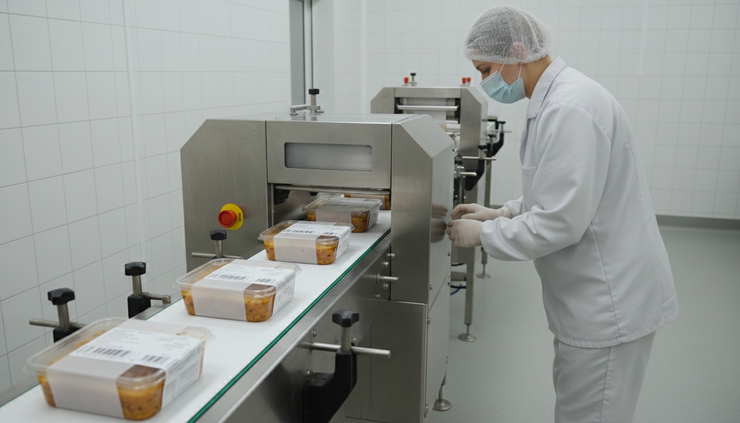
ERP gives food processors a stronger way to manage the moving parts that shape daily performance. It connects what used to sit in separate files, conversations, and systems. That connection helps teams plan production, control inventory, track lots, manage quality, and understand costs with less guesswork.
The real value comes from fit. A food business should choose ERP around its products, risks, workflows, and growth plans. The system must support how ingredients become finished goods, how quality is proven, and how every lot can be traced when it matters.
When the right ERP is paired with clean data and practical training, the business gains more than software. It gains a clearer operating rhythm from receiving to shipping, and that clarity can make the whole plant run with more confidence.


Comments