
How Waste Management Routing Planning Software Improves Efficiency


A waste collection route can look simple on a map and still waste hours in the field. One missed turn, one overloaded truck, one poorly timed pickup at a busy commercial stop, and the day starts to slide. Crews work longer. Fuel use climbs. Customers call. Dispatchers spend the afternoon fixing problems that could have been prevented before the first truck left the yard.
That is where routing planning software changes the work. It gives waste haulers, municipalities, and fleet managers a clearer way to plan routes, assign vehicles, adapt to service changes, and measure what actually happened on the road.
The goal is not just shorter routes. Efficiency in waste management means collecting the right materials, from the right locations, with the right vehicle, at the right time, while keeping crews safe and service reliable. Good routing software supports all of that.

Why traditional waste routing creates hidden waste
Many waste routes were built over time, not designed from a blank page. A route may start with one neighborhood, then absorb new subdivisions, new commercial accounts, special pickups, seasonal service changes, and customer requests. After enough changes, the route still works, but it may no longer work well.
The waste is often hidden because the truck still completes the route. The problem shows up in smaller, repeated costs:
Extra miles driven every day
Trucks returning to the yard or disposal site too early or too late
Uneven workloads across drivers
Missed pickups caused by unclear stop order
More overtime during heavy service days
Higher wear on vehicles
More calls to dispatch for basic route questions
A dispatcher may know that one route is too heavy or that one driver always finishes late, but it can be hard to prove why. Paper maps, spreadsheets, and driver memory do not show the full picture. They also make it difficult to test changes before they affect customers.
Waste Management Routing Planning Software helps turn daily collection work into a visible operating system. Routes, service types, vehicle limits, stop details, disposal locations, and driver feedback can all sit in one place. That makes planning less dependent on guesswork.
Waste collection has constraints that ordinary maps do not understand
A consumer navigation app can get someone from point A to point B. Waste routing is far more detailed. The route must account for service rules that are unique to collection work.
For example, a residential route may need to follow one side of the street for automated side-load trucks. A commercial route may need to avoid school traffic windows, narrow alleys, or dock access issues. A roll-off route may depend on container size, job priority, landfill distance, and whether the truck can safely stage at the customer site.
Good route planning software considers details such as:
Truck type and capacity
Disposal or transfer station location
Material type, such as trash, recycling, yard waste, or organics
Service frequency
Stop duration
Road restrictions
Time windows
Turn limitations
Driver start and end locations
Seasonal demand changes
These constraints matter because one route decision can affect the whole day. Sending the wrong truck to the wrong area may force an extra trip to the disposal site. Placing a high-volume commercial stop late in the route may overload the truck before nearby stops are finished. Routing through congested areas at the wrong time may add time with no gain in service.
The best planning process reflects how collection really works, not how it looks on a simple map.
How routing software improves daily operations
Efficiency starts before the truck rolls out. The stronger the plan, the fewer field problems the team has to fix later. Routing planning software improves daily operations by giving planners a clearer view of routes, workloads, and service requirements.
It reduces unnecessary miles
Every extra mile adds cost. Fuel, tires, brakes, labor, and maintenance all rise when trucks travel farther than needed. In waste collection, those costs can add up fast because collection vehicles are heavy, stop often, and operate for long hours.
Routing software can compare different stop sequences and service zones. Instead of relying on the route that has always been used, planners can test a better order, adjust route boundaries, and reduce backtracking.
For example, a recycling route might include stops from two nearby neighborhoods. On paper, they seem close enough to group together. On the road, a major intersection, school zone, or one-way street pattern may make that pairing inefficient. Software can expose those problems and suggest a route that keeps trucks moving in a more logical pattern.
This does not mean the shortest route is always best. A slightly longer route with fewer difficult turns, safer access, and better disposal timing may perform better. Good planning looks at total route performance, not just distance.
It balances driver workloads
One of the most common sources of inefficiency is uneven workload. Two routes may look similar by stop count, but the effort can be very different. One route may include dense neighborhoods with easy cart access. Another may include hills, long driveways, parked cars, heavy bins, or multiple apartment complexes.
If routes are assigned by stop count alone, one driver may finish early while another regularly needs overtime. This creates frustration and increases costs.
Routing planning software helps planners balance work by looking at more than the number of stops. It can include expected service time, travel time, truck capacity, route density, and disposal trips. Over time, actual route data can improve future plans.
A balanced route plan helps:
Keep schedules more predictable
Reduce overtime pressure
Make workloads feel fairer
Improve driver retention
Reduce rushed driving and missed stops
Fair workload planning matters because drivers know when a route is unreasonable. Software does not replace that field knowledge. It gives planners a better way to use it.
It improves disposal and transfer station planning
Waste routes do not end when the truck is full. Disposal, transfer, recycling processing, composting, and material recovery facilities all shape the route. A truck that fills up too far from the right facility loses time. A route that sends too many trucks to the same location at the same time can create delays.
Routing software can factor disposal locations into the day’s plan. This is especially useful for fleets that serve large areas or collect multiple material streams. The system can help assign routes so trucks fill at a practical point in the day and head to the most suitable facility.
For example, a route may collect solid waste in the morning and return to a transfer station before starting a second section. Another route may be better designed to end near a disposal facility instead of driving back across town. Small planning changes like this can reduce deadhead miles, which are miles driven without collecting material.
It helps dispatch respond faster
Even the best plan will face surprises. A road may close. A truck may break down. A driver may report blocked access. A customer may need an urgent pickup. Weather can delay entire routes.
Routing software gives dispatchers better situational awareness. Instead of calling multiple drivers to understand route progress, dispatch can often see which stops are complete, which truck is nearby, and which route has enough capacity to help.
That can make same-day decisions cleaner:
Move a missed pickup to the closest available truck
Reassign stops after a breakdown
Adjust routes around road closures
Add urgent work without disrupting the entire day
Give customer service a clearer status update
The value is not just speed. It is fewer blind decisions. Dispatchers can act with better information and reduce the ripple effect of each problem.
The most useful features in waste routing software
Not every routing tool is built for waste collection. General fleet software may help with vehicle tracking, but collection planning needs specific tools for routes, materials, containers, service rules, and disposal points.
The most useful systems tend to support both planning and day-of-service execution. They help the office plan the work and help field teams complete it.
Feature | Why it matters for efficiency |
Route building and editing | Lets planners create better routes, adjust territories, and update service areas without rebuilding everything manually |
Stop sequencing | Reduces backtracking and helps crews follow a clear order |
Vehicle and capacity rules | Matches the route to the right truck and helps reduce unnecessary disposal trips |
Service calendars | Keeps weekly, biweekly, seasonal, and special pickups organized |
Live route progress | Helps dispatch see what is complete and where help is needed |
Driver instructions | Gives crews notes about gates, access points, containers, and safety concerns |
Exception reporting | Tracks missed pickups, blocked containers, contamination, and service issues |
Historical route data | Shows actual route times and helps improve future plans |
Route plans should be easy to adjust
Waste service changes constantly. New homes are built. Businesses open. Contracts change. Holidays shift schedules. Severe weather can compress a week of work into fewer service days.
If changing a route is difficult, planners may delay updates. That creates route drift, where the plan slowly becomes less accurate over time. The longer that continues, the more dispatch depends on driver memory and workarounds.
Good software makes route editing practical. A planner should be able to add stops, move stops, compare route versions, and see the effect on time, distance, and workload. This makes it easier to keep routes current instead of waiting for a major re-route project.
Driver data should flow back into planning
Drivers see route problems first. They know which alleys are blocked, which containers are often overloaded, which streets have poor turning space, and which customers need clearer instructions. That knowledge should not stay trapped in radio calls or handwritten notes.
Routing software can collect field updates through mobile devices, onboard systems, or dispatcher entries. Those updates can improve the route plan over time.
Useful driver feedback may include:
Blocked service access
Unsafe stop conditions
Incorrect container location
Contamination in recycling or organics
Extra material at the curb
Stops that consistently take longer than expected
Streets that need different service order
This loop matters. Planning improves when the field team can easily report what is happening and the planning team can act on it.
Reporting should answer practical questions
Reports are only useful when they help someone make a better decision. A routing system should make it easier to answer questions like:
Which routes finish late most often?
Which routes have the most missed pickups?
Where are trucks driving the most non-service miles?
Which customers or areas create frequent exceptions?
Are disposal trips happening at the best point in the route?
Is one truck type being used where another would work better?
These answers help managers improve the system one decision at a time. They also support budget planning, contract reviews, staffing decisions, and fleet replacement planning.

Where efficiency gains show up across the operation
Routing improvements affect more than driving time. A better plan can change the way the whole operation runs, from customer service to maintenance.
Fuel and maintenance costs become easier to control
Waste collection trucks work hard. They stop and start through neighborhoods, carry heavy loads, and spend long hours on local roads. Reducing unnecessary miles and avoiding poor route design can help control fuel use and maintenance needs.
Shorter or better-planned routes may reduce:
Idle time
Harsh stop-and-go travel
Extra disposal trips
Long deadhead travel
End-of-day rush driving
Maintenance teams benefit when fleet use becomes more predictable. If one truck or route is carrying too much of the workload, that pattern can appear in route data. Managers can then adjust assignments before small issues turn into bigger problems.
Customer service gets better information
Customers usually call when something goes wrong. They want to know whether a pickup was missed, delayed, blocked, or scheduled for another day. Without reliable route information, customer service may need to call dispatch, then dispatch calls the driver, then the customer waits.
Routing software can shorten that chain. If route progress, exceptions, and service notes are available in one system, customer service can give clearer answers.
For example, if a driver marks a container as blocked, the customer record can show the reason. If a route is delayed by weather or a truck issue, the team can see that the stop is still pending. If a customer is not on the schedule that day, the answer is available quickly.
Better information does not remove every service issue, but it can reduce confusion and repeat calls.
Safety improves when routes make sense
Efficiency and safety are closely connected. A route that forces awkward turns, rushed pickups, unnecessary backing, or service during heavy traffic windows creates risk. Waste collection already involves large vehicles, workers near traffic, and frequent stops. Route design should reduce hazards where possible.
Routing software can help identify patterns that deserve attention:
Stops that require backing
Tight turns on narrow roads
Service points near schools or busy intersections
Routes that regularly run late into darker hours
Areas with repeated access issues
Long routes that may increase fatigue
Technology cannot replace training, safe driving policies, or driver judgment. It can give managers a better way to find and fix route-level risk.
Planning becomes less dependent on one person
Many waste operations depend on a few experienced people who know every route by memory. That knowledge is valuable, but it also creates risk. If a dispatcher retires, a driver changes routes, or a manager leaves, the operation can lose years of local knowledge.
Routing software helps preserve that knowledge. Stop notes, route sequence, access details, disposal plans, and service rules can be stored in a shared system. New team members still need training, but they do not have to start from scratch.
This also helps when a substitute driver covers a route. Clear route instructions and stop notes can reduce missed pickups and calls to dispatch.
What to look for before choosing a system
Routing planning software should fit the operation, not force the operation into a rigid process. A municipal sanitation department, a private residential hauler, a commercial front-load company, and a roll-off provider may all need different workflows.
Before choosing a system, it helps to define the problems that matter most. Some teams need better route design. Others need live dispatch visibility. Some need customer service tools. Others need stronger reporting or better support for special pickups.
Match the software to the service type
Residential collection usually depends on route density, cart location, service day, and truck type. Commercial collection may involve time windows, container access, locks, gates, and service frequency. Roll-off work is often more dynamic, with delivery, haul, exchange, and removal requests changing throughout the day.
A good system should support the service model. For example:
Service type | Routing needs |
Residential trash and recycling | Dense stop sequencing, side-of-street planning, service calendars, holiday changes |
Commercial front-load | Time windows, container notes, access details, frequency changes |
Roll-off | Same-day scheduling, container size, job status, disposal location, priority changes |
Yard waste and organics | Seasonal volume changes, material-specific disposal or processing sites |
Municipal bulk pickup | Appointment scheduling, item notes, crew assignment, route grouping |
This match matters because a tool that works well for parcel delivery may not understand collection rules. Waste routing has its own logic.
Make integration a priority
Routing rarely stands alone. It often connects with billing, customer service, work orders, fleet maintenance, scales, onboard cameras, telematics, and mobile driver tools. If systems do not share information, staff may need to enter the same data in several places.
That creates errors and wastes time.
Before selecting software, teams should ask how routing data will connect with existing systems. The answers do not have to be complex, but they should be clear. Customer changes, stop notes, work orders, missed pickup records, and completed service data should move where people need them.
Check how easy it is for drivers to use
A route plan only helps if crews can follow it. Driver tools should be simple, readable, and practical in the cab. Screens should not distract from safe driving. Instructions should be clear. Reporting an exception should take only a few taps or a quick, safe workflow.
If the driver experience is poor, adoption will suffer. Field teams may return to paper notes, radio calls, or memory. Then the software becomes less accurate over time.
The best route planning projects include driver feedback early. Drivers can identify confusing instructions, missing notes, unsafe stop sequences, and unrealistic route assumptions before a new plan goes live.
Use a phased rollout
A full routing change can affect drivers, dispatchers, customer service teams, billing staff, and customers. A phased rollout reduces risk.
A practical rollout may look like this:
Clean the data
Review customer records, stop locations, service days, container types, and disposal sites. Bad data leads to bad routes.
Map current routes
Build a clear baseline before making changes. This helps show what improved and where more work is needed.
Test route changes
Start with a limited area, route type, or service day. Compare planned results with field results.
Gather driver feedback
Ask crews what worked, what failed, and what the route plan missed.
Adjust and expand
Apply lessons before moving to the next group of routes.
This approach turns route improvement into a repeatable process instead of a one-time project.
Common mistakes that reduce the value of routing software
The software is only one part of the system. Implementation choices can decide whether the investment pays off.
Treating the software like a one-time fix
Routes need regular care. New stops, traffic patterns, disposal changes, and service demand can weaken even a strong route plan. If the team only updates routes once every few years, inefficiency will return.
A better approach is to schedule regular route reviews. Monthly or quarterly checks can catch small issues before they spread. Larger service changes may need a more detailed review.
Ignoring field knowledge
Software can calculate routes, but drivers understand real-world access. If a plan looks good on a screen but creates unsafe service points, difficult turns, or impossible timing, crews will work around it.
Driver input should be part of planning, testing, and ongoing updates. This does not mean every preference becomes a rule. It means real conditions should shape the final plan.
Using poor location data
Wrong addresses, bad geocoding, missing container locations, and unclear service notes can damage route quality. A stop that appears on the wrong side of a highway or in the wrong entrance of an apartment complex can waste time every week.
Data cleanup is not exciting, but it is one of the most important parts of routing success. Accurate stop data gives the software a fair chance to produce useful routes.
Measuring only miles
Miles matter, but they are not the only measure. A route with fewer miles may still fail if it creates overtime, unsafe turns, missed pickups, or poor disposal timing.
Better measures include:
Route completion time
Stops per hour
Missed pickup rate
Exception frequency
Overtime hours
Disposal trip timing
Customer complaints
Driver feedback
Fuel use by route or truck
Looking at several measures gives a more honest view of efficiency.
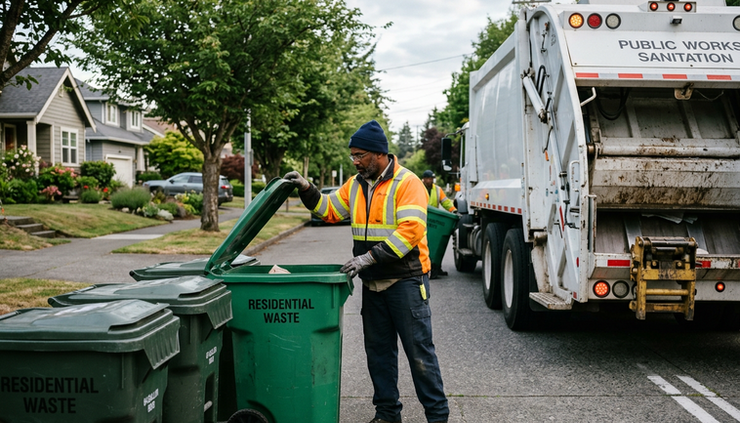
Better routes create a better waste operation
Routing planning software improves efficiency because it helps waste operations see the work clearly. It turns routes from fixed habits into plans that can be measured, tested, and improved. It reduces unnecessary miles, balances workloads, supports dispatch decisions, improves customer communication, and helps preserve field knowledge.
The biggest gains often come from small changes repeated across many routes. A better stop order. A cleaner disposal plan. A more accurate service note. A route boundary that matches real workload. A faster response to a blocked street or broken truck.
Waste collection will always involve changing conditions. Weather, traffic, equipment, customers, and material volume will never be perfectly predictable. The value of routing software is that it gives teams a stronger starting point and a better way to adjust when the day changes.
The takeaway is simple: efficient waste management is not only about working harder in the field. It starts with building routes that respect the real work crews do every day.


Comments