
Top 6 AI Tools You Need to Try in 2026: Audio & Video Powerhouses
- Staff Desk
- 2 hours ago
- 3 min read

Creating high-quality digital content used to require expensive equipment and years of technical training. In 2026, AI tools have shifted the landscape, allowing individual creators to produce work that rivals professional studios. Whether you manage social media accounts or produce independent media, utilizing the right software is crucial for efficiency. Here are the top 6 AI tools for audio and video generation that are worth your time this year.
Vimod AI

Creating visual content that holds viewer attention is a common challenge, but Vimod.ai provides a straightforward solution for media transformation.
● Overview: Vimod.ai is a dedicated AI video editing platform focused on visual effects and media transformation. If you have already produced a solid background track using an AI Song Maker, Vimod.ai serves as the ideal visual companion, allowing you to animate still assets or apply consistent stylistic filters to existing videos.
● How to Use:
1. Upload your source material (either a still image or a video clip) to the platform.
2. Select the desired AI effect, such as animating a static photo or applying a style transfer filter to a video.
3. Adjust your settings and process the file to download your new dynamic video.
● Best For: Social media managers, content creators, and digital marketers who need to produce visually striking short-form videos quickly.
2. AIsong.io

A video is only as good as its audio. Aisong.io provides an immediate solution for creators who need custom music but lack production experience.
● Overview: Aisong.io functions as an accessible AI Song Generator that builds complete musical tracks from scratch. By analyzing user prompts regarding mood, genre, and tempo, the platform delivers mixed and mastered audio files ready for immediate use in media projects.
● How to Use:
1. Enter a detailed text prompt outlining the style of music you need (e.g., "An upbeat corporate tech background track").
2. Choose whether to generate an instrumental piece or include AI-generated vocals with custom lyrics.
3. Generate the track and download the final audio file for your project.
● Best For: YouTubers, podcasters, and indie game developers looking for reliable, royalty-free background music and theme songs.
3. Luma

Luma AI has built a strong reputation for understanding spatial data, and their Dream Machine model reflects that capability in video generation.
● Overview: Luma Dream Machine is an AI model designed to generate high-quality video with a strong emphasis on realistic physics, lighting, and camera movement.
● How to Use:
1. Provide a text prompt describing a scene, or upload a reference image.
2. Specify the desired camera motion (e.g., "drone tracking shot").
3. The model renders a smooth video clip that accurately simulates 3D space.
● Best For: Video editors, 3D artists, and commercial directors needing highly realistic B-roll footage or establishing shots.
4. ElevenLabs

For voiceover work, ElevenLabs remains the gold standard in the industry, offering unmatched text-to-speech realism.
● Overview: ElevenLabs is an AI audio research lab specializing in voice synthesis. Their platform generates incredibly natural-sounding human voices, capturing subtleties like breath and intonation.
● How to Use:
1. Select a pre-existing voice from the library or use the Voice Cloning tool by uploading a sample of your own voice.
2. Paste your written script into the text box.
3. Adjust the stability and clarity sliders, then generate and download the voiceover.
● Best For: Audiobook narrators, e-learning developers, and faceless YouTube channel creators.
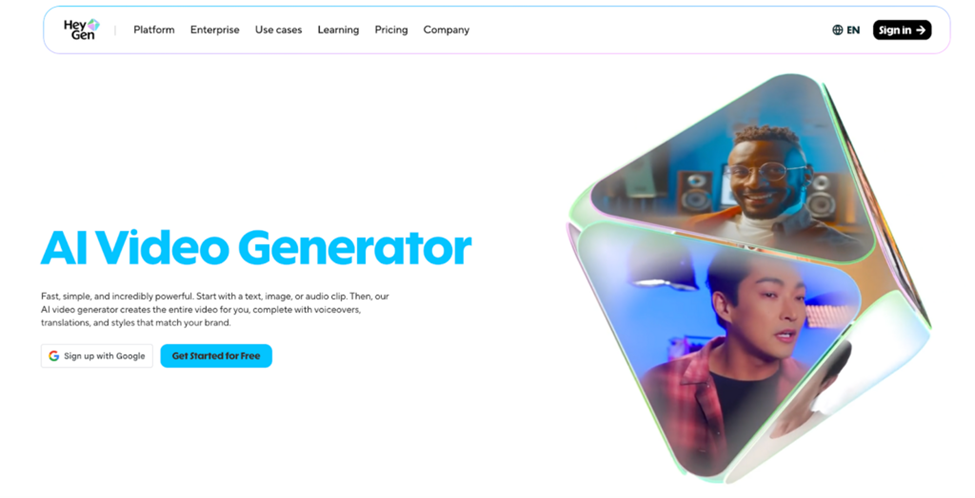
5. HeyGen
6. Krea AI

Krea AI addresses the needs of visual designers by offering real-time generation and high-quality upscaling tools.
● Overview: Krea AI is a visual generation platform that stands out for its real-time rendering canvas and powerful image enhancement capabilities.
● How to Use:
1. Open the real-time canvas and input a text prompt.
2. Draw basic shapes or colors on the canvas; the AI will instantly interpret your sketches and render a detailed image in real-time.
3. Alternatively, upload an existing low-resolution image and use the Enhance tool to upscale and add missing details.
● Best For: Concept artists, graphic designers, and creative directors who require rapid visual prototyping.
The Verdict
Navigating the AI landscape in 2026 means choosing tools that offer real utility and stable performance. While the market is flooded with options, focusing on practical audio and video solutions will yield the best return on your time. We strongly suggest integrating Vimod.ai and Aisong.io into your daily workflow. By relying on Aisong to generate professional-grade audio and using Vimod to handle your visual modifications, you can consistently output high-quality, engaging content that stands out in today's competitive digital space.


Comments